

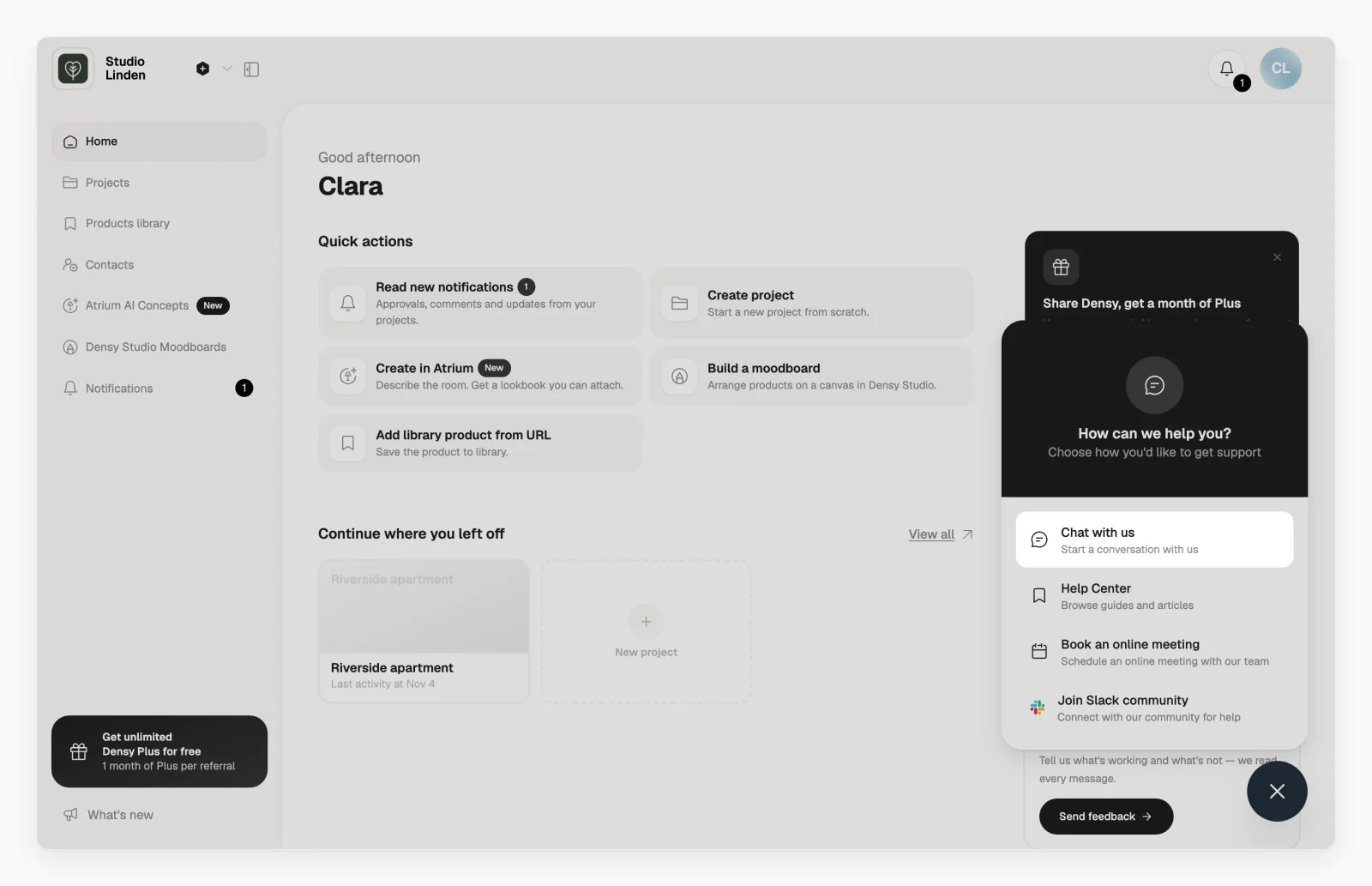
Help is in the bottom-right corner of every page in the app: the round button.
Chat with the Densy team
- Click in the bottom-right corner.
- Choose Chat with us and write your question in the chat window that opens.
You don't need to say who you are: the chat already has your name and email. If you're reporting something that doesn't work, see What should I do when something goes wrong in Densy? for what to include.
The same menu also opens the Help Center, Book an online meeting to pick a time with our team, and Join Slack community, where other Densy users can help.
Other ways to reach us
- By email at support@densy.io.
- On Home, under Need a hand?, click Chat with us.
- In the Help Center, click Chat with us under Still need help? or the button. There the chat doesn't know who you are, so mention the email you sign in with.