

You can delete your account, or just one organization, yourself in Settings, as long as it doesn't touch anyone else's work and nothing is still being paid. Otherwise, email support@densy.io and we'll do it for you.
Deleting can't be undone, so export your projects and download your files first. See What happens to my data when I delete my account?
Delete your account
- Click your profile picture or initials in the top right and choose Account settings.
- At the bottom of Profile, under Delete account, click Delete account.
- Type your email and click Delete account.
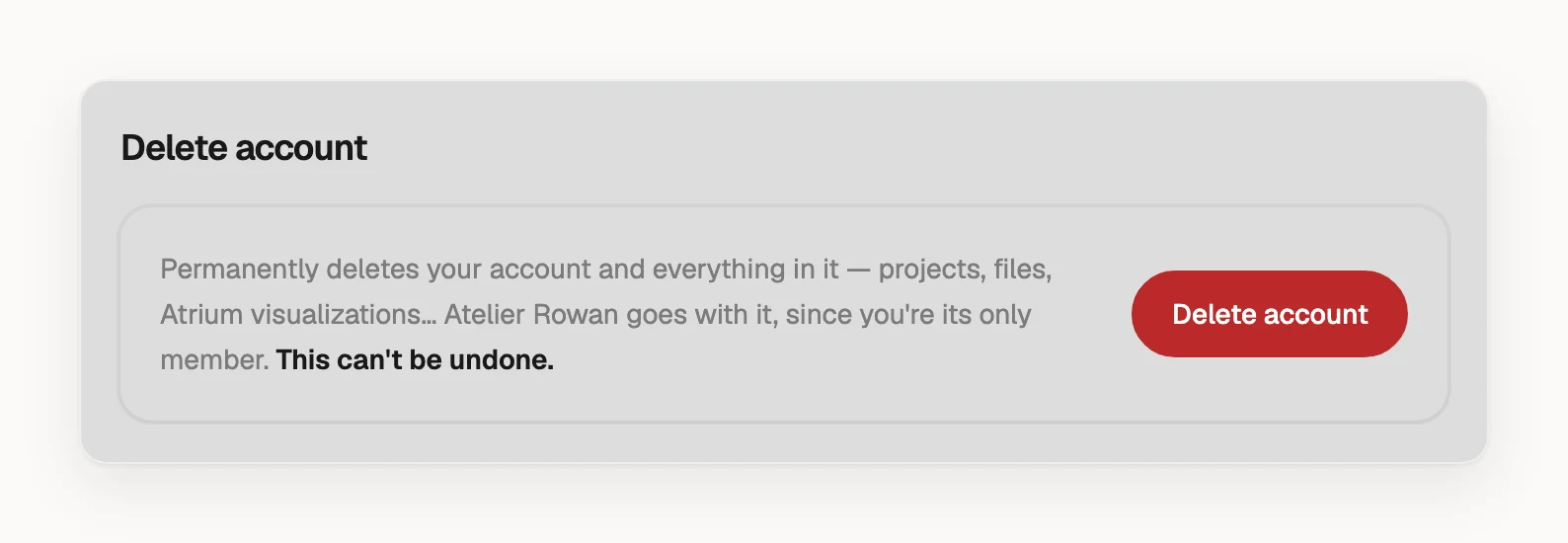
Every organization you're in is deleted with your account, with all its projects, files and visuals, and links you shared with clients stop working. You can sign up again with the same email; the account starts empty.
Delete an organization and keep your account
Only an admin of the organization can delete it.
- Click your profile picture or initials in the top right and choose Organization settings.
- At the bottom of General, under Delete organization, click Delete organization.
- If it's your only organization, Densy may ask Delete your account too? with Delete my account selected. Choose Keep my account.
- Type the organization's name and click Delete organization.
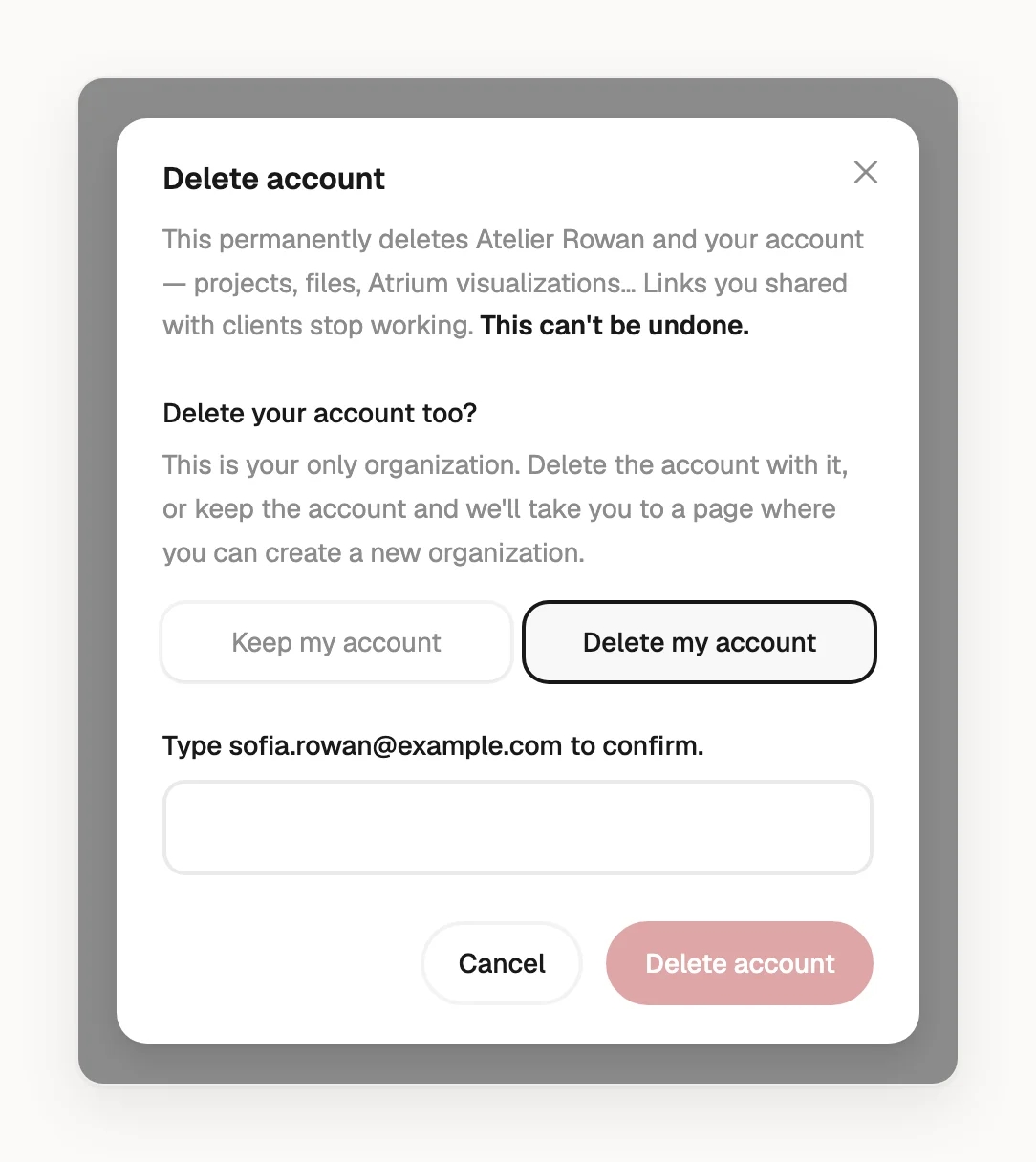
Without an organization you can't open Settings, so to delete your account later, email us.
When you can't delete it yourself
Settings shows the reason instead of the button, one at a time. Email support@densy.io and we'll handle the deletion.
- Other people are in the organization. For your account, that includes someone else's organization you're in.
- You used to be in another organization, where your comments and messages would disappear.
- A Densy Plus subscription is still active. A cancelled one counts until the paid period ends.
- A payment is still open or clearing.