



Biano Studio, reinvented.
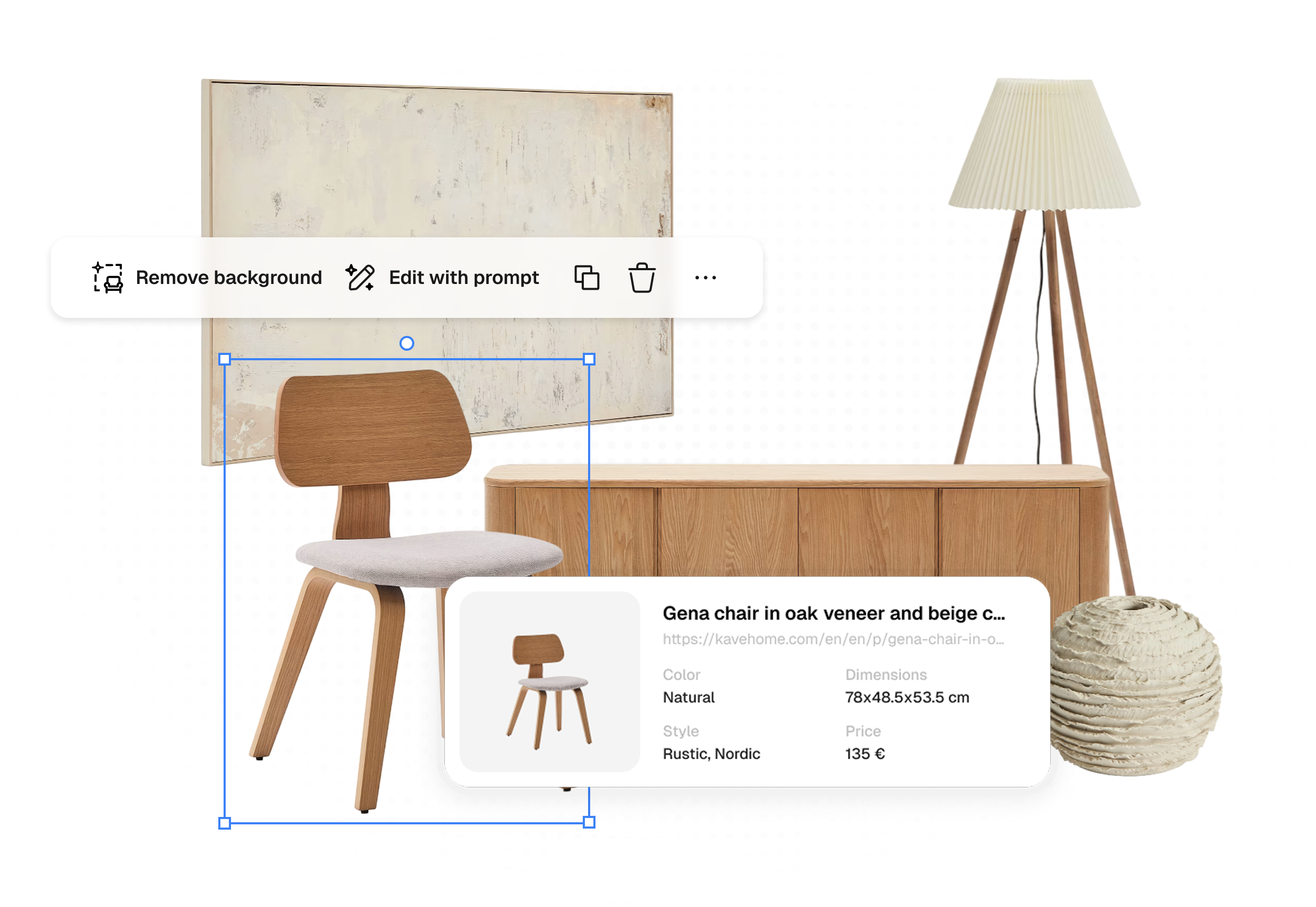
Studio is just a small part of Densy.
Densy is a full interior design platform — use Studio on its own like you did with Biano Studio, or unlock projects, budgets, and client approvals when you need more.
For home & hobby designers
Save. Organise. Visualise.
Build a wishlist from any e-shop, organise by room, and let Muse AI generate a photorealistic render — before you spend a penny.
For interior designers & architects
Projects. Clients. Budgets.
Manage the full design workflow — spec lists, client approvals, budget tracking, and Studio presentations — all in one place.


How it all connects
Studio sits at the end of the Densy workflow — everything flows into it.
01
Create a project and add rooms
Start a project, add your rooms. Everything stays organised and private — shareable only when you choose.
02
Add products from any e-shop
Use the browser extension or paste a URL from any store. Densy fills in the name, price, and image automatically. No Biano catalogue required.
03
Design in Studio — or render with AI
Open Studio to design a moodboard from your room products. Or trigger Muse AI to generate a photorealistic room render straight from your spec list.
What's new in Densy Studio
The familiar canvas you know, plus features Biano Studio never had.
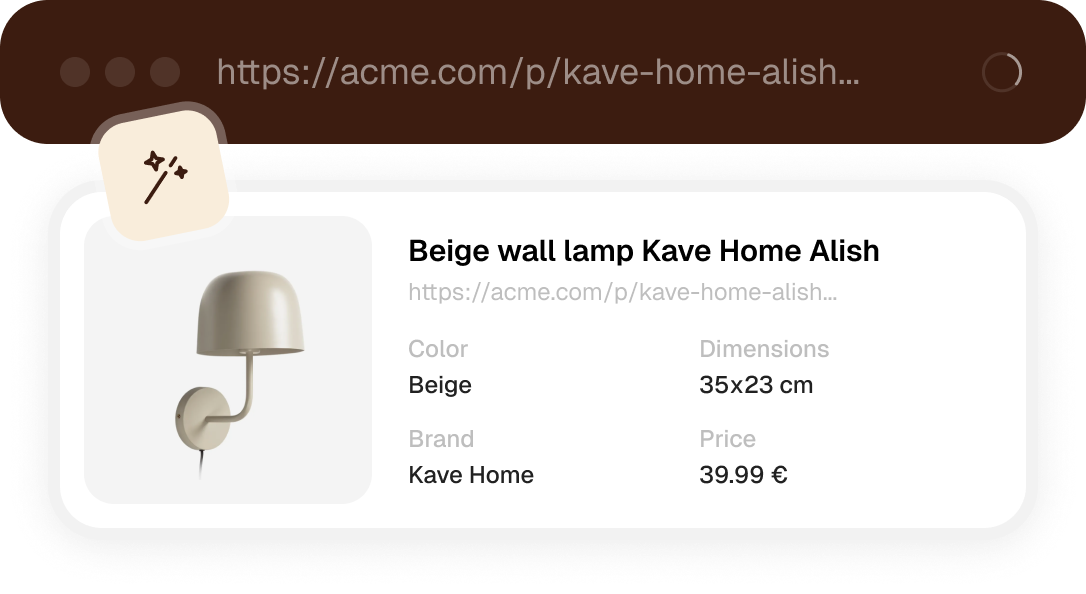
Products from any e-shop
No more being limited to Biano's catalogue. Paste a URL from any store and Densy fills in the name, price, and image automatically.
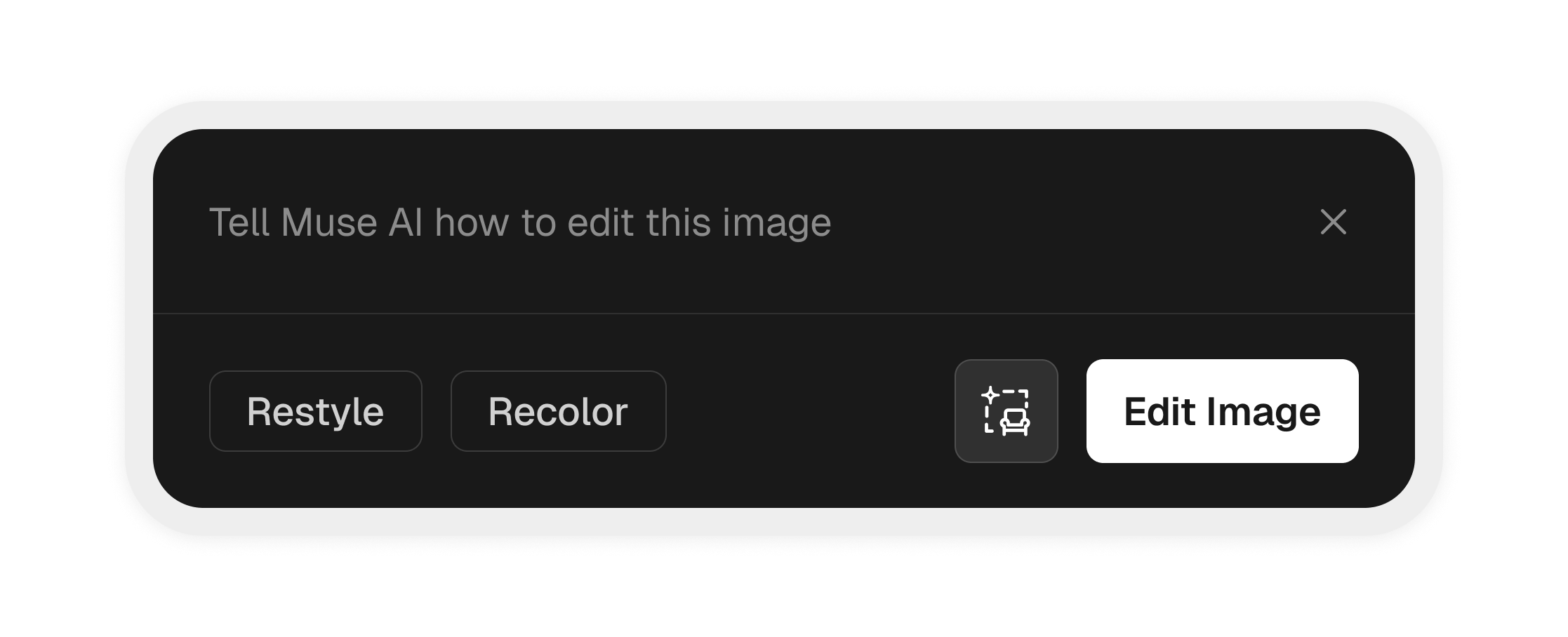
AI editing & generation on the canvas
Edit any image directly on your Studio board, or generate entirely new visuals from scratch — Biano Studio had none of this.

Private by default
Unlike Biano Studio where projects were public, everything in Densy is private, until you share entire project via a direct link or by inviting others.
Everything that connects to Studio.
Studio is the canvas — but it's powered by everything else Densy does around it.
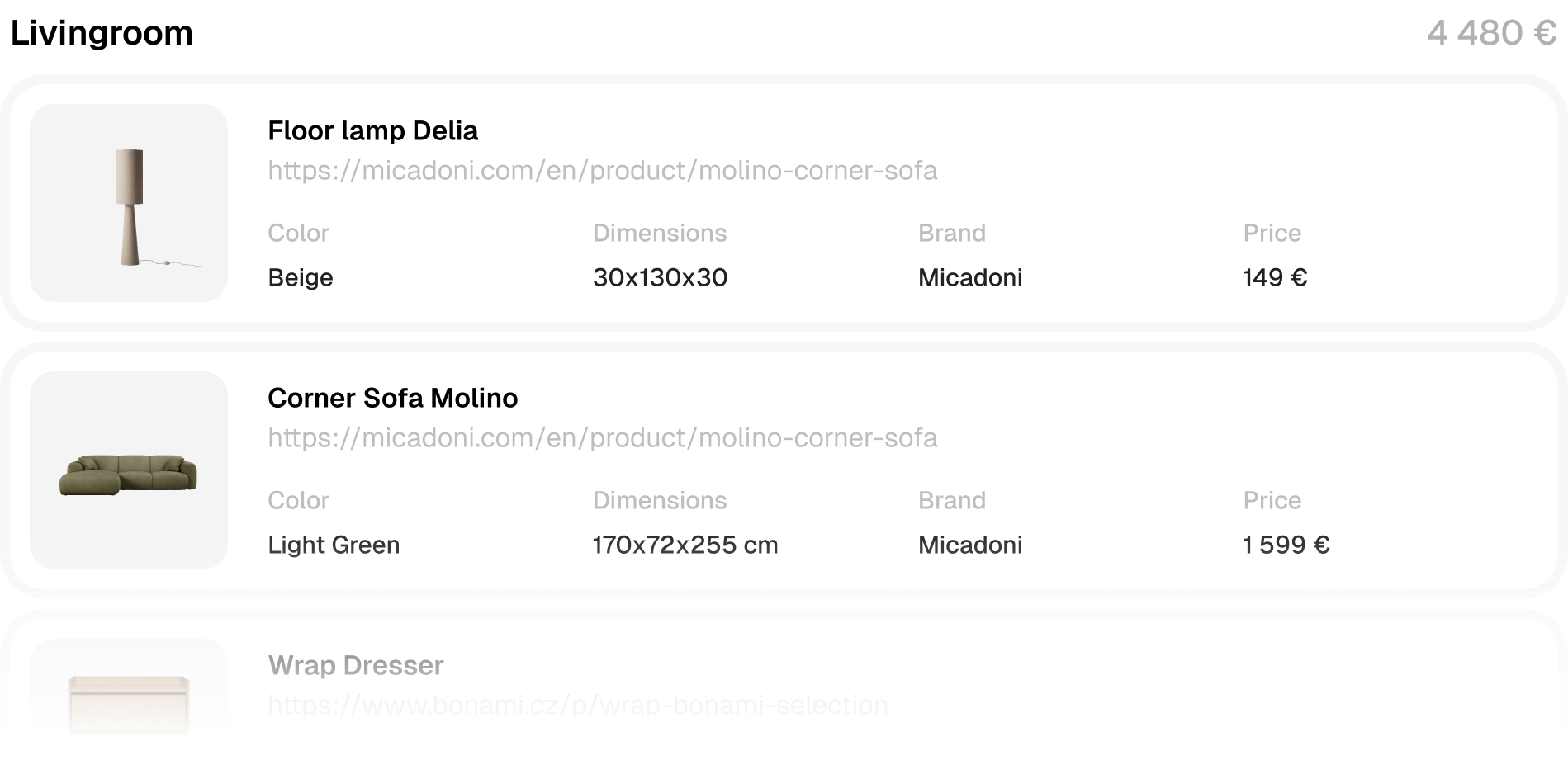
Everything you want, organised by room.
Save products you love from any store — IKEA, Westwing, a local boutique, anywhere. Densy pulls in the name, price, and image automatically and keeps it all organised by room. For professionals, it doubles as a full spec list with quantities and supplier details.
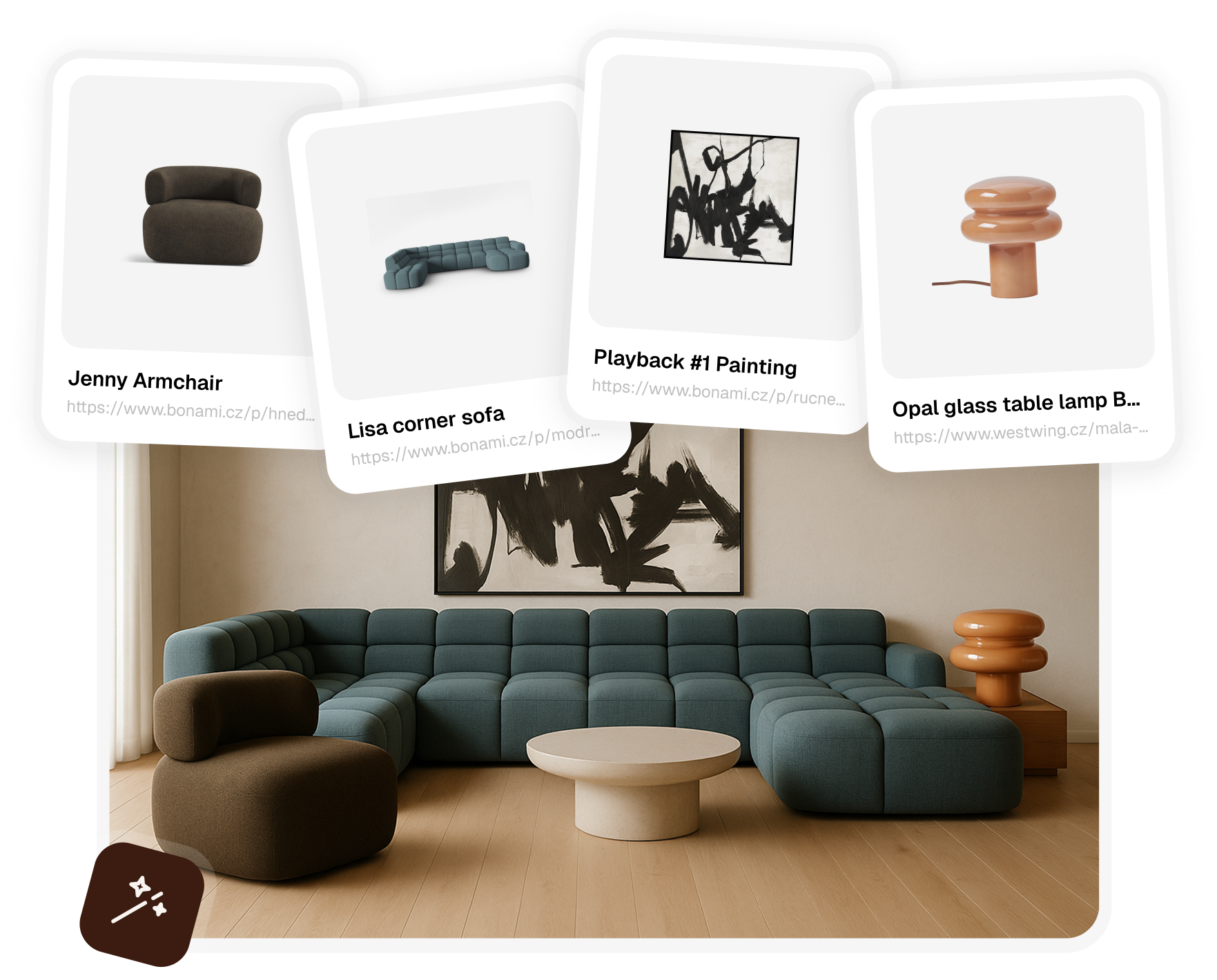
See your room before you buy a single thing.
Add products to a room, then hit generate. Muse AI creates a photorealistic render using those exact products as reference — whether you're redecorating a bedroom or presenting a concept to a client. No prompts, no manual setup needed.
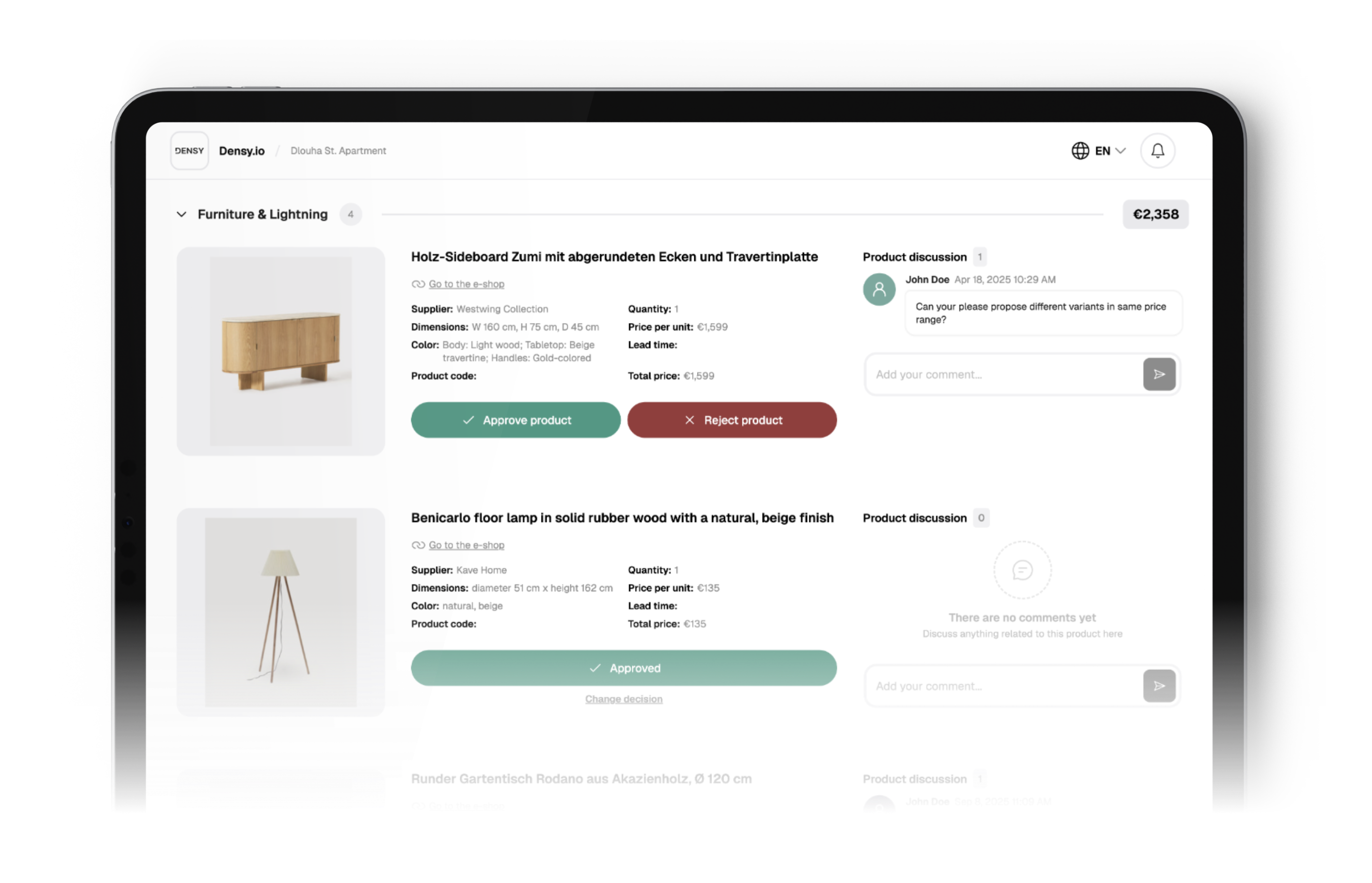
Share, get feedback, move forward.
Share your product list with anyone via a single link — a client reviewing a proposal, a partner deciding on the living room, or a friend helping you pick. They can browse, approve, or comment on individual products without needing an account.


Frequently asked questions
Everything you need to know about Densy Studio.