

Clients hear about updates in two ways: a notification on their project page, and an email when they haven't seen it yet.
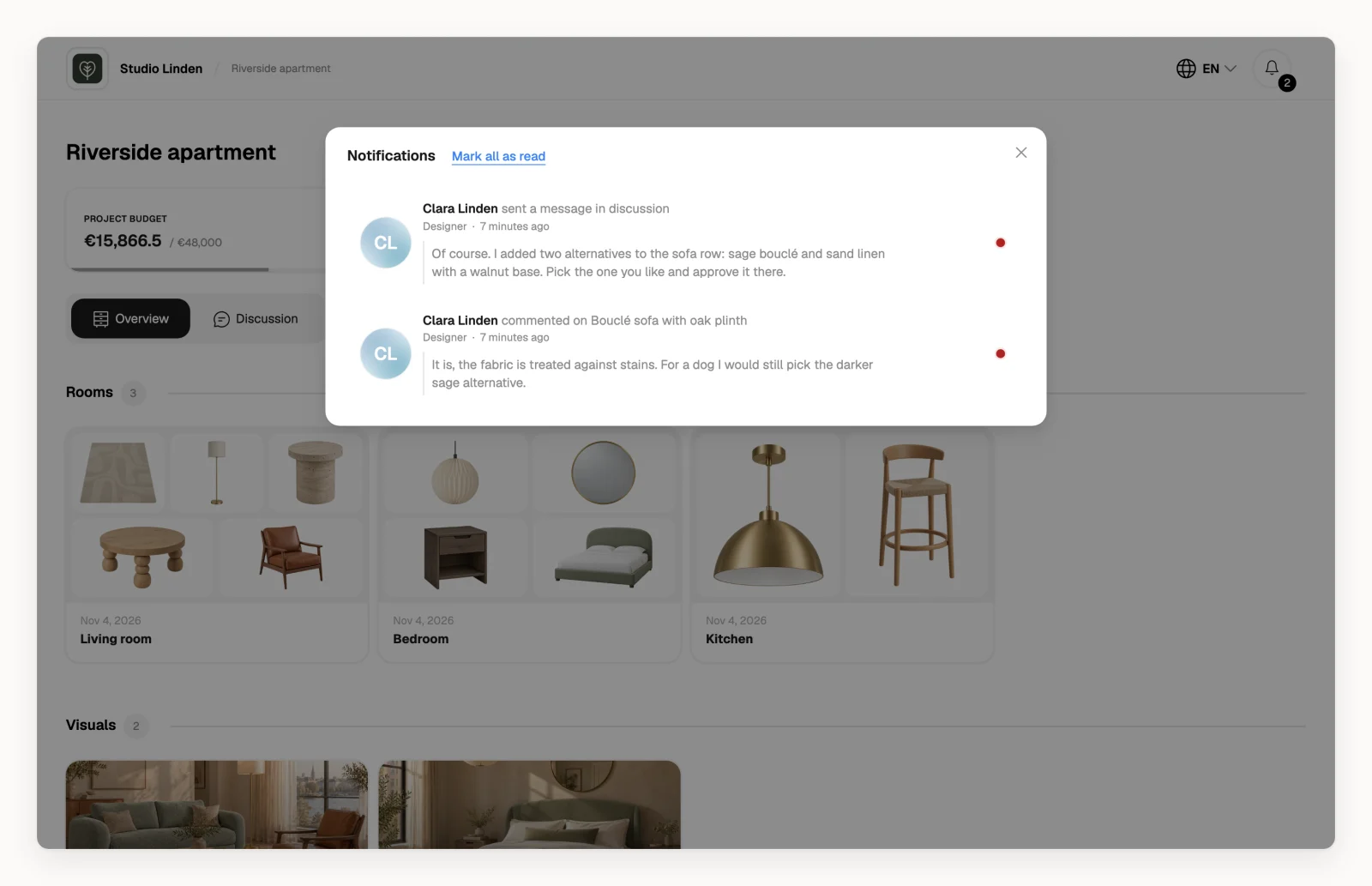
What clients are notified about
A client gets a notification when someone else (you, your team or another client):
- comments on a product or service, if the client has Comments on
- approves or rejects a product or service, or resets its approval, if the client has Approve & reject on
- writes in the project discussion (With client), if the client has Project discussion on
If you limited the client to some rooms with Room access, they only hear about those rooms.
Hiding a room or product from clients doesn't stop notifications: comments and approval changes on it still notify them. Write internal notes in With team instead.
Nothing else sends a notification. Adding products, changing prices, uploading files or adding tasks doesn't notify the client. When you want them to look, write to them in the discussion. See How do I talk to my clients in Densy?
On the project page
Notifications are under in the top right of the client's project page, with the number of unread ones on it. Clicking one takes them to the product or the discussion and marks it as read. Mark all as read clears the rest.
By email
When a notification has been unread for 4 hours or more, Densy sends the client one email with how many updates there are and a link to the project. Each notification is emailed only once.
Only clients you invited by email get these emails. People who open the project's share link see notifications on the project page only.
Stop notifications for a client
There's no separate switch for emails. Notifications follow the client's permissions: switch off Comments, Approve & reject or Project discussion and the client stops getting those notifications. See How do I control what a client can see and do?
A client whose access you remove with Revoke access gets no new notifications.