

You talk to clients in two places. The project discussion is for anything about the project as a whole. The product discussion sits on each product and service, so feedback stays next to the thing it's about.
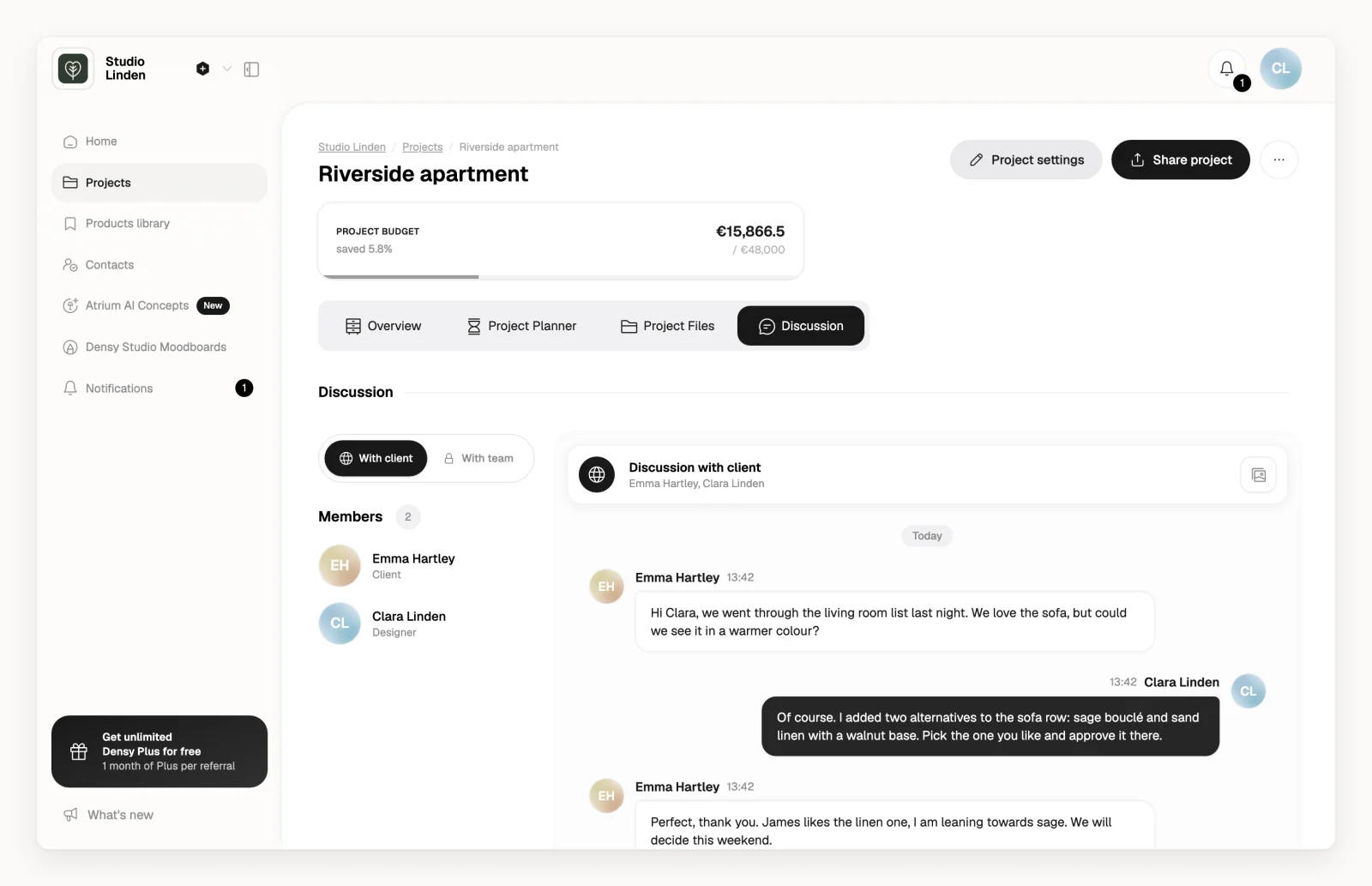
Write to a client about the project
- Open the project and click the Discussion tab.
- Make sure With client is selected.
- Type your message and send it. You can attach files and images.
The client finds the same thread under Discussion on their project page. Everyone on your team who can open the project can read and write here.
With team is a separate thread for your team. Clients never see it.
Talk about one product
- Open the room.
- Next to the product's approval status, click .
- Product discussion opens. Write your comment and send it.
Services have the same discussion.
Who sees what
- All clients of the project share one With client thread, and see each other's messages. So does everyone who opens the project's share link.
- A product's discussion is the same for every client who can see that product.
- A client sees Discussion only when Project discussion is on for them, and product discussions only when Comments is on. See How do I control what a client can see and do?
- People who open the share link show up as anonymous. To know who wrote what, invite each client by email: see How do I invite a client to a project?
Edit or delete a message
You can edit or delete your own messages in Discussion for 4 hours after sending them, and your own product comments at any time.
Keep files from the discussion
Files and images sent in a thread collect under Media & Files, next to the discussion.
- Click View all media or .
- Select the files and click Copy selected to project files, or click Copy all to project files.
- Pick a folder and click Copy files here.
When your organization's storage is full, the files aren't copied.
Who gets notified
Everyone in the project's Assigned team members (in Project settings) gets a notification in Densy when someone else comments on a product or service, changes an approval or writes in Discussion, and an email if it's still unread after 4 hours. If nobody is assigned, nobody is notified about product comments.
Clients get an email about your new comments and messages. See How are clients notified about project updates?