

Densy doesn't close or delete a project when the work is done. It stays as it is, with its rooms, products, files and discussions, until you archive or delete it.
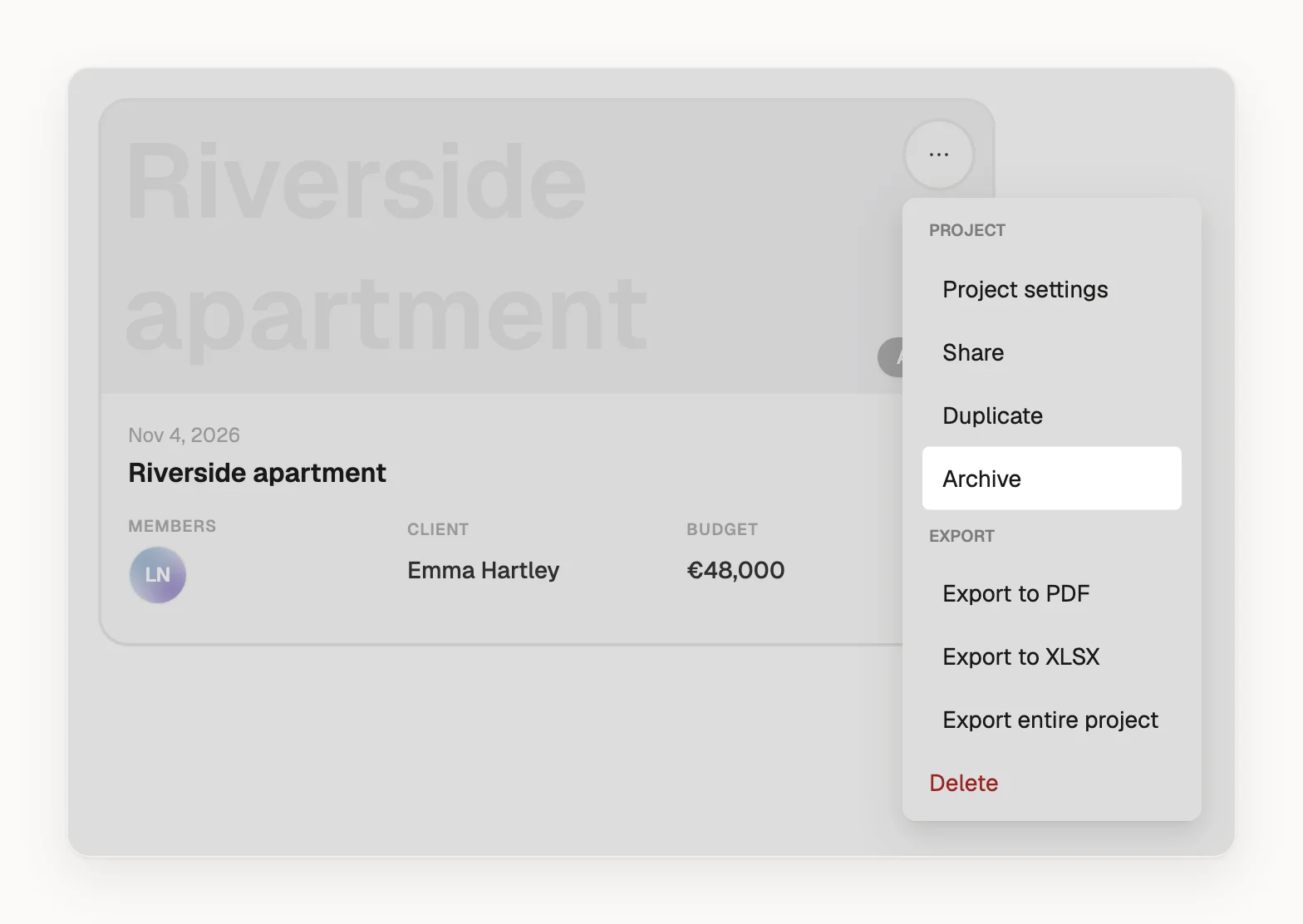
Archive a finished project
- On the projects page, hover over the project's card and click .
- Choose Archive.
The project moves from Active to Archived. You can still open and edit it, and its files still count towards your storage. Unarchive in the same menu moves it back.
Archiving doesn't touch client access: clients can still open their links, comment and write to you. If they shouldn't any more, open the project, click Share project and choose Revoke access for each client, and revoke the share link if you made one. See How do I invite a client to a project?
Keep a copy
On Densy Plus, choose Export entire project in the same menu and click Start export. You get one .zip with a schedule for every room, the project's files, and every product's images and attachments, but not the discussions or comments. The download link comes in a notification and works for 7 days.
On Free, you can export one room at a time. See How do I export a room or project to PDF or a spreadsheet?
Delete a project
- On the projects page, click on the project's card.
- Choose Delete.
- In Confirm delete, click Delete.
The project is deleted with its rooms, products, files and discussions, and client links to it stop working. Images you made in Atrium stay in Atrium. This can't be undone in Densy, so export what you want to keep first.