

Every product's total is its unit price times the quantity, minus your trade discount. Densy adds those up for each section, room and project and sets them against your budgets. Markup mode puts your markup on top and shows what you keep.
Change a product's price or trade discount
Right in the schedule: open the room, click the value under Unit price, Quantity or Trade discount (a percentage) in the product's row, type the new one and press Enter or click away.
Or click (Open detailed editor) in the top right corner of the row and fill them in on the Pricing tab.
A padlock on a value means the product is linked to your products library: click it and choose Edit in library or Unlink and edit here.
A supplier in Contacts can have its own Trade discount (under Matching & trade terms). Products you add from that supplier get it, unless they already have one.
What counts towards the totals
- A product: Unit price × Quantity, minus the Trade discount, plus the markup in markup mode. That's the Total price on its row.
- A service: Hourly rate × Hours.
- A section, a room: everything in it. The project: every room that's visible to clients.
Left out of the totals:
- Alternatives. Only a row's main product counts. When the client approves an alternative, it becomes the main product. See How do I add alternatives to a product?
- Products hidden from clients (Hide from clients in the row's menu).
- Hidden rooms. They show their own total, but aren't in the project total.
A product the client rejected, or hasn't decided on yet, still counts until you delete it or hide it from clients.
Set a project or room budget
Densy shows the total against the budget, with a bar that turns red once you go over. Nothing stops you from going over.
- Project budget: open the project, click Project settings in the top right, fill in Project budget and click Save project.
- Room budget: open the room, click in the top right, choose Room settings, fill in Room budget and click Save room.
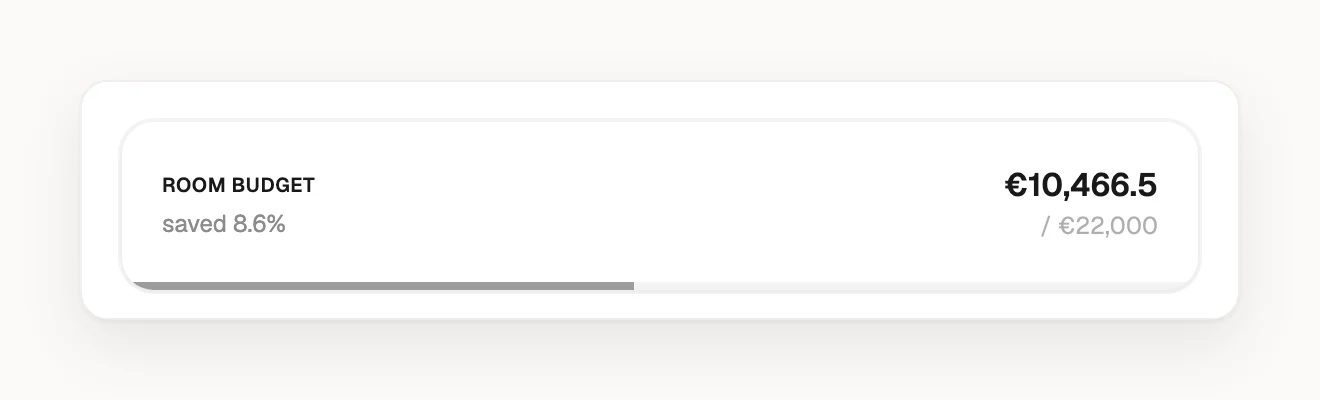
Densy doesn't add room budgets up or check them against the project budget.
Markup mode: client price and profit
Markup mode is for designers who buy at trade prices and charge their own price. Switch on Markup mode in Project settings and click Save project.
With markup mode on:
- The Pricing tab adds Markup, Profit per unit, Client savings and Client unit price, and the unit price is called Unit price (RRP).
- The client unit price is the price after your trade discount plus your markup. A €1,000 product with a 20% trade discount and a 25% markup costs you €800, the client pays €1,000 and you keep €200.
- You can type any of the four; Densy works out the markup. Set Client savings to 0 to charge the full RRP and keep the trade discount as your profit.
- Default markup (in Project settings) goes on new products and alternatives, unless their supplier or your library brings its own. Changing it doesn't change products already in the project.
- The project and room pages show Client total, Trade total (what you pay suppliers) and Estimated profit.
If you switch markup mode off, the totals go back to prices after your trade discount. The markups stay saved on the products, but the Default markup is cleared.
What your client sees
Your client sees prices only with Product prices on, and totals only with Price summaries on too. See How do I control what a client can see and do?
- Each product: its Price per unit and Total price.
- Without markup mode, the client sees the price after your trade discount, so the discount goes to them. To keep it, switch markup mode on and set Client savings to 0.
- With markup mode, the client sees only their price and their saving against the RRP, never your trade price, discount, markup or profit.
Currency and exports
Every price in a project is in the project's currency, and Densy doesn't convert anything when you change it. See How do I change a project's currency? Exports have their own price settings: see How do I export a room or project to PDF or a spreadsheet?